
A Guide to the Classification Software
The classification software can be used for any classification problem. This software is developed using machine learning algorithms. For the time being, there are eight machine learning algorithms available in this software.
The algorithms include the Artificial Neural Network (ANN), Cat Boosting, Extreme Gradient Boosting (XGBoost), Naive Bayes (NB), Support Vector Machine (SVM), Decision Tree (DT), Random Forest (RF), and K-Nearest Neighbors (KNN).
You can input your own database as an Excel spreadsheet and train the models you want. Below is a snapshot of the main/first page of the software.
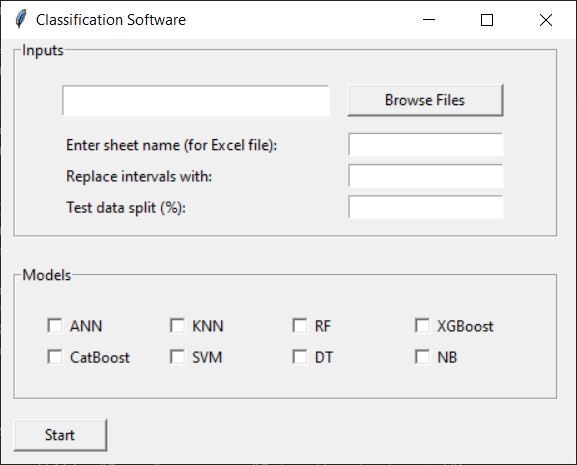
You can browse your file using the “Browse Files” button. As soon as you select your file, the software identifies the variables and shows the list of variables.
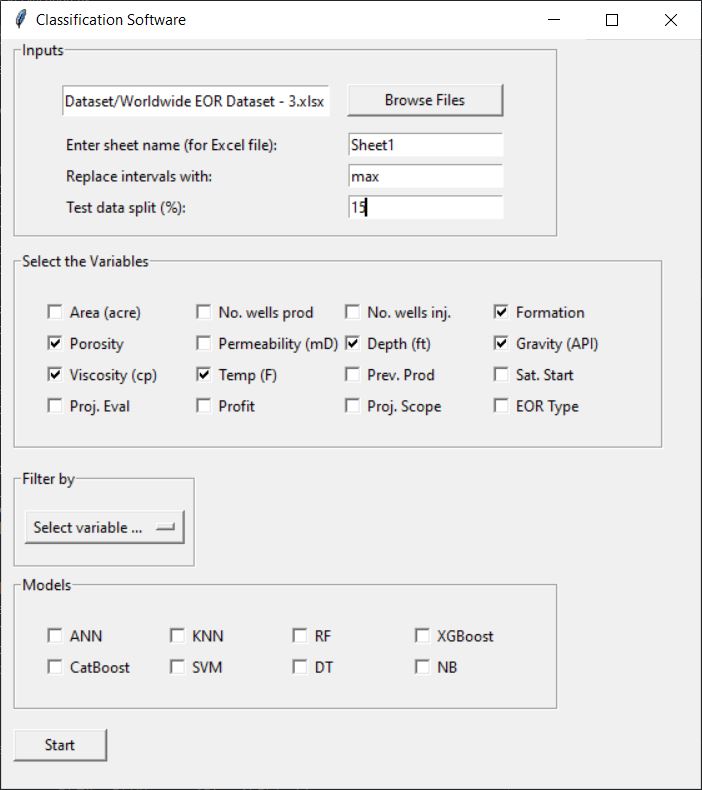
Then, you can enter the sheet name that your data resides in, the percentage of data that should be used for testing, and tell the software what to do with features entered as intervals in your data. In other words, a feature can be entered as a [min-max] interval; however, the machine only needs a single value for each feature. You can tell the software whether to use the minimum or maximum value by entering min or max, respectively.
The next step is to select the required variables to build the model(s). You must select at least one variable. The software assumes that the last column in your data represents the classes. Therefore, it is not needed to select the variable related to the classes/labels.
There is an option to filter out your data based on one of the variables, as shown in the figure below.
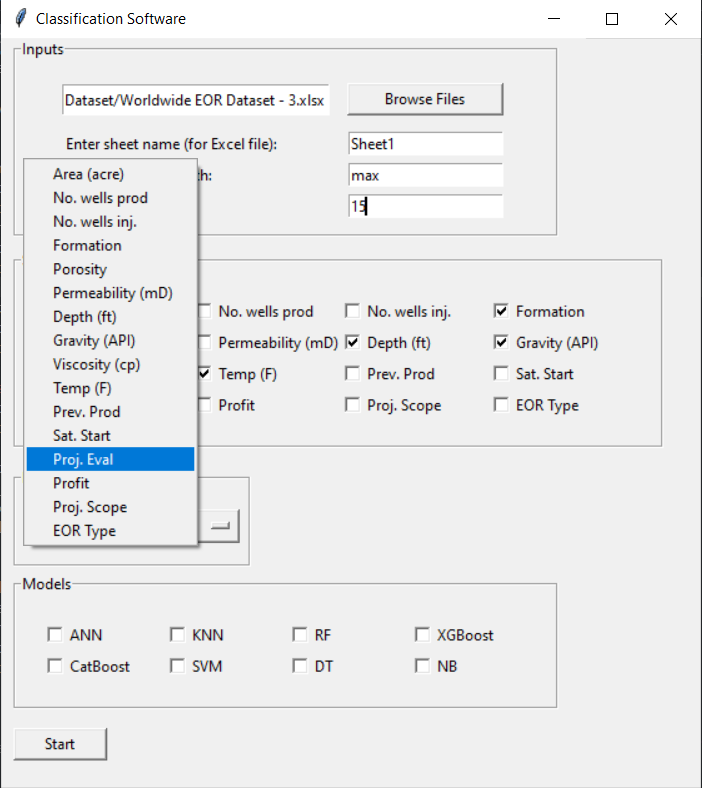
After clicking on the “Select variable …” button, you can select the variable you want to filter your data based on that. After selecting the variable, you can select the value for that variable to keep the sample corresponding to that value. See figure below.
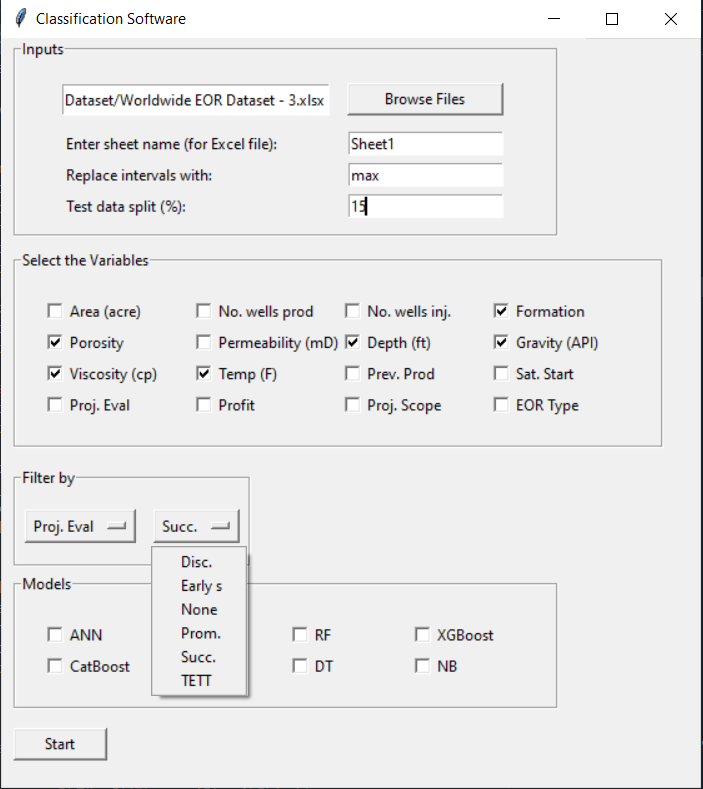
Next, select your models. At least one model must be selected. The number of models must be odd (1, 3, 5, …). When you are ready, click on the “Start” button. The software will use 5-fold cross-validation to tune the hyperparameters of the models. Finally, the software will show you the classification metrics such as accuracy, precision, recall, and f1-score on the test subset, as shown in the figure below.
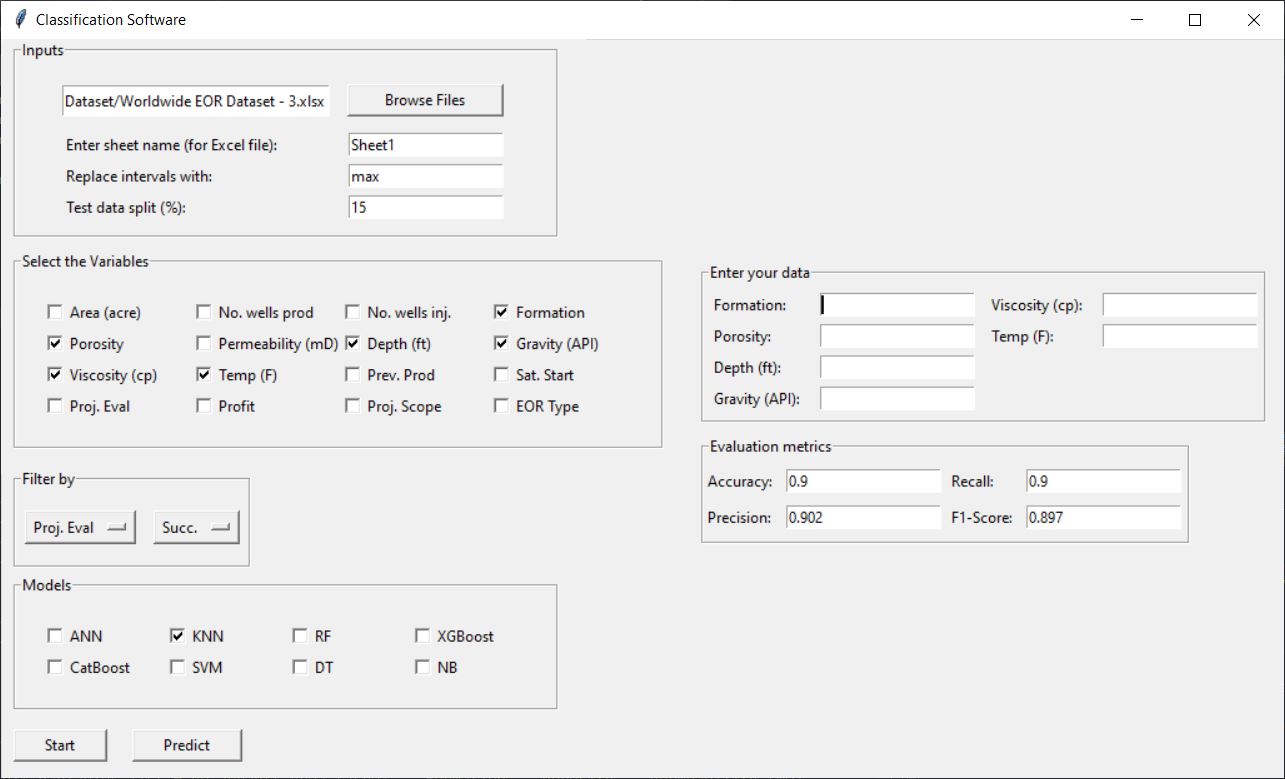
You can access the list of optimal hyperparameters in the generated *.txt files in the same directory as your data. If you choose more than one model, the software will your majority voting to find the final output/class of the samples.
Finally, you can enter the features of your new sample in the boxes provided on the upper-right of the software to get the prediction. The boxes are based on the variables you selected when training the model. If you change the variables or models, you must repeat the training step (click on the “Start” button again).
When your are ready, you can click on the “Predict” button to get the probability of 5 most probable classes for you new sample.
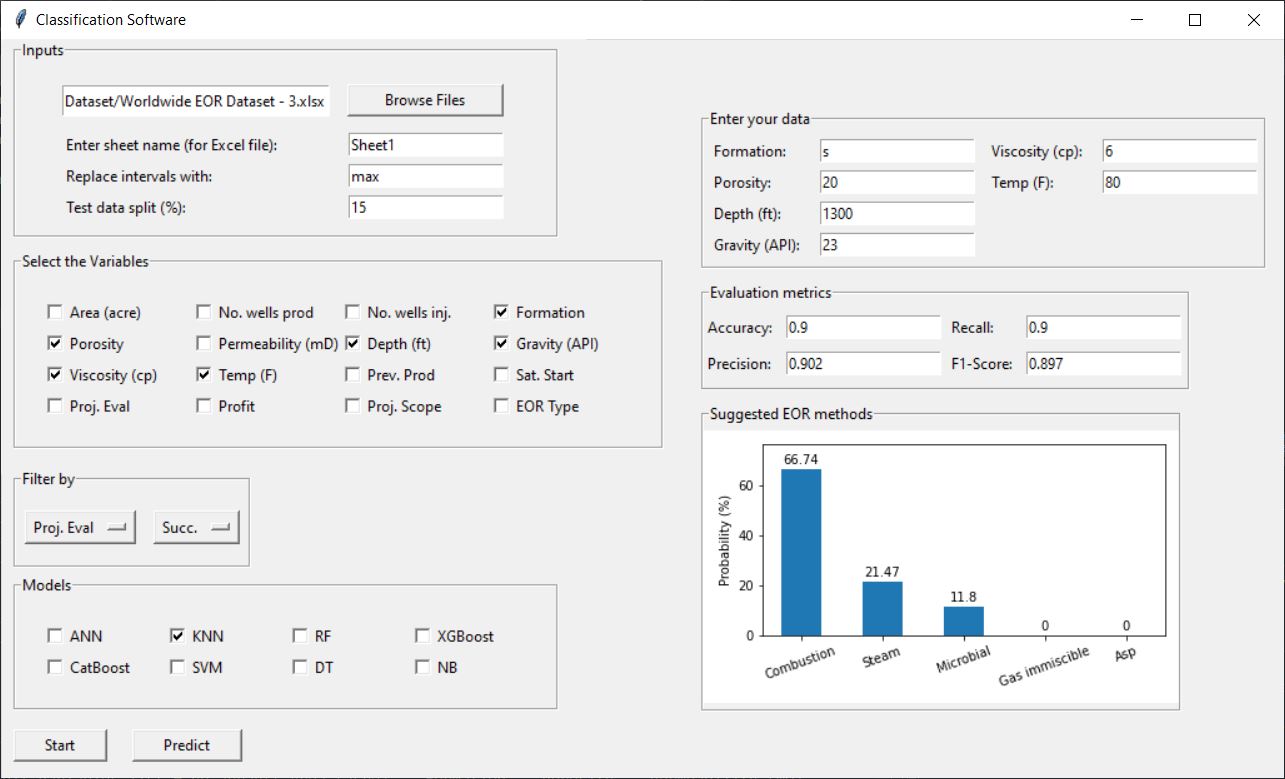
This software was developed by our experts and can be extended as you want. For example, more models, batch prediction (prediction on multiple samples) and any other features can be added to the software as you desire.
Note that an online version of the software is available in the following link: https://geosciencesai.com/screening-software
However, the online version is limited (for example, ANN is not available) and new features cannot be added to the online version.