Well placement methods in the plugin
The video tutorial for using the plugin is available in our YouTube channel (click here).
The plugin offers different types of optimization and is not limited to the conventional optimization approach.

The plugin uses the Particle Swarm Optimization (PSO) algorithm as the core of optimization. The four optimization approaches are described in the following. Note that the plugin offers direct and proxy-based optimization approaches.
1- PSO-ECLIPSE
This approach only integrates the PSO with the Eclipse reservoir simulator to conduct the optimization. The main steps of this approach are as follows:
- Get reservoir properties (porosity, permeability, etc.),
- Generate initial trajectories for the wells randomly,
- Run simulations with the random trajectories,
- Calculate the objective function (NPV),
- Change the well trajectories,
- Evaluate the well trajectories and find the best ones,
- Accept the new trajectory if any improvement in the NPV is obtained,
- Go to step 5 and repeat until reaching stopping criterion.
2- PSO-FMM
This approach uses the Fast Marching Method (FMM) instead of the reservoir simulator to accomplish the optimization task. In this approach, the objective function is the approximated bottom-hole pressure drop of the wells, which is calculated by the FMM. The FMM is superfast and can obtain the dynamic response of big reservoir in a few seconds. Wells corresponding to lower BHP drop are regarded as optimal wells. The steps are as follows:
- Get reservoir properties (porosity, permeability, etc.),
- Generate initial trajectories for the wells randomly,
- Calculate the objective function (BHP drop),
- Change the well trajectories and calculate new BHP drops,
- Evaluate the well trajectories and find the best ones in terms of lowest BHP drops,
- Accept the new best solution if any improvement is obtained in the BHP drops,
- Go to step 4 and repeat until reaching stopping criterion.
3- PSO-HYBRID
Since lower BHP drop is not always equivalent to higher oil production, the Hybrid approach is used, which gets help from the reservoir simulator to assess the optimal solutions in terms of BHP drop:
Get reservoir properties (porosity, permeability, etc.),
- Generate initial trajectories for the wells randomly,
- Calculate the objective function (BHP drop),
- Change the well trajectories and calculate new BHP drops,
- Evaluate the well trajectories and find the best ones in terms of lowest BHP drops,
- Run simulations if new best solution is found in terms of a lower BHP drop,
- Accept the new best solution if any improvement is obtained in the NPV,
- Go to step 4 and repeat until reaching stopping criterion.
4- PSO-ECLIPSE+QM
In this approach, the initial solutions are filtered by a Quality Map:
- Get reservoir properties (porosity, permeability, etc.),
- Generate initial trajectories for the wells randomly,
- Check the quality index of the generated trajectories,
- Calculate the objective function (NPV),
- Change the well trajectories and calculate new NPVs,
- Evaluate the well trajectories and find the best ones,
- Accept the new best solution if any improvement is obtained in the NPV,
- Go to step 5 and repeat until reaching stopping criterion.
5- PSO-ECLIPSE+FMM
Since PSO-ECLIPSE is the most accurate approach, using it can be more reliable. However, it is computationally expensive. To reduce the computational expenses, it is initialized by PSO-FMM and continued with fewer iterations.
- Get reservoir properties (porosity, permeability, etc.),
- Run PSO-FMM optimization for 60% of the particles,
- Generate random initial solutions for the remaining 40% particles,
- Calculate the objective function (NPV),
- Change the well trajectories and calculate new NPVs,
- Evaluate the well trajectories and find the best ones,
- Accept the new best solution if any improvement is obtained in the NPV,
- Go to step 5 and repeat until reaching stopping criterion.
The plugin is illustrated in the following.
The first window is the inputs window. In this window, you can select the type of wellbore, distance to faults, distance wells, number of realizations, number of cores for parallel simulation, location of the platforms, number of wells from each platform, folder of the wells to optimize, folder of the existing open wells, unit system, dogleg severity constraints, wellbore diameter, maximum horizontal departure (MHD), maximum length of the well in the reservoir (LP to TD), and minimum pairwise well distances.

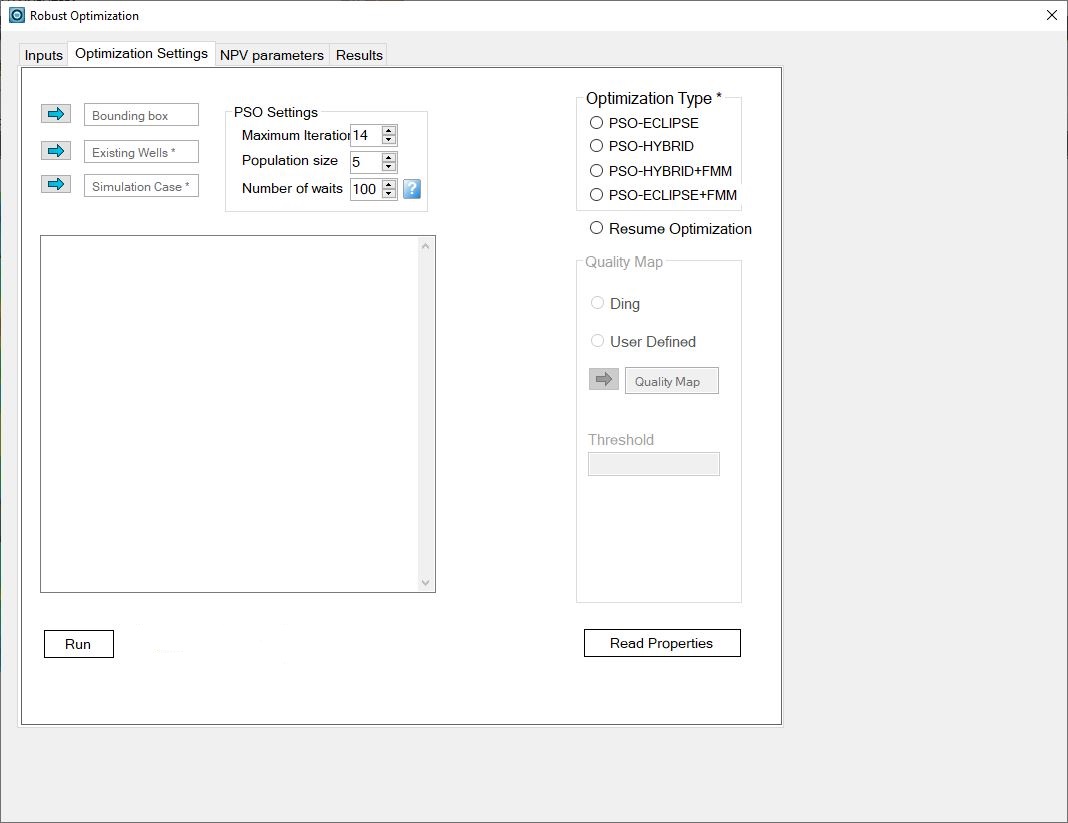
In the second window, you can enter a bounding box to constrain the search space of the optimizer, all existing wells, and the simulation case. In addition, you can enter the number of particles (population size), maximum number of iterations, and number of waits after the objective function reaches a plateau. Also, there is options to select the optimization type, enter the quality map, and resume the optimization or start it from scratch. Before pressing the “Run” button, you should press “Read properties”.
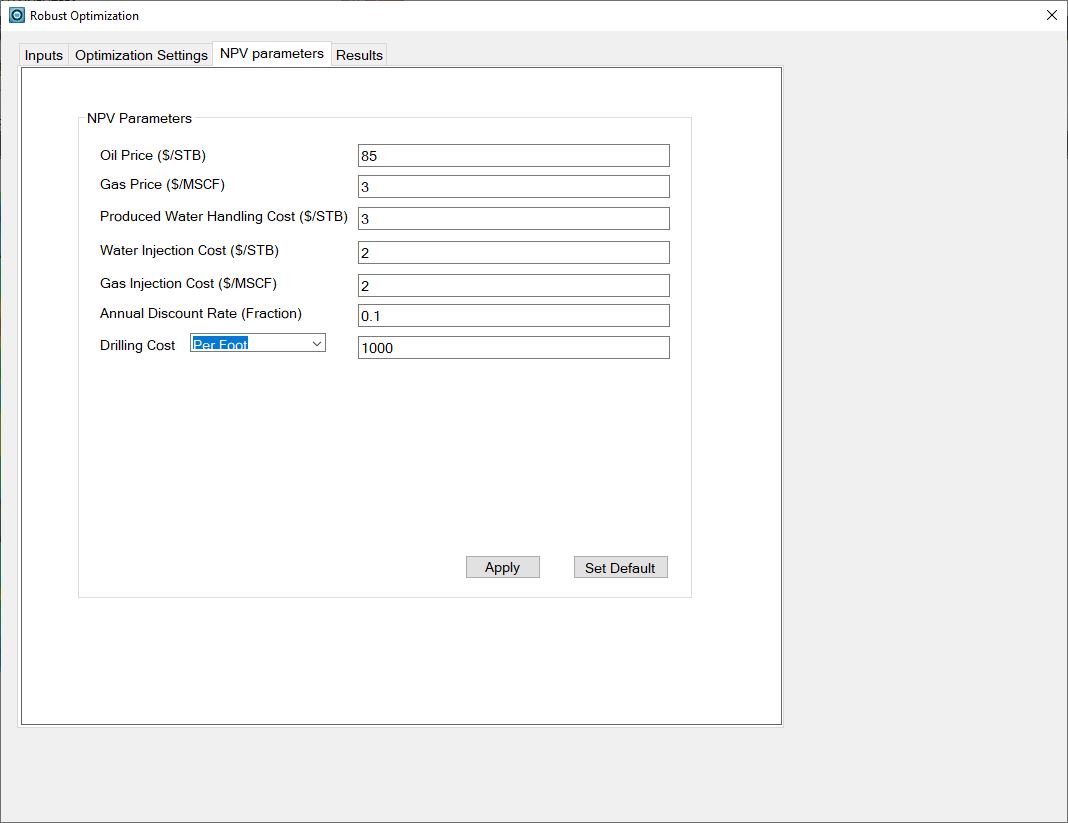
The objective function is the Net Present Value, which needs some economic inputs. These parameters are entered in the third page (NPV parameters). All parameters have a default value.
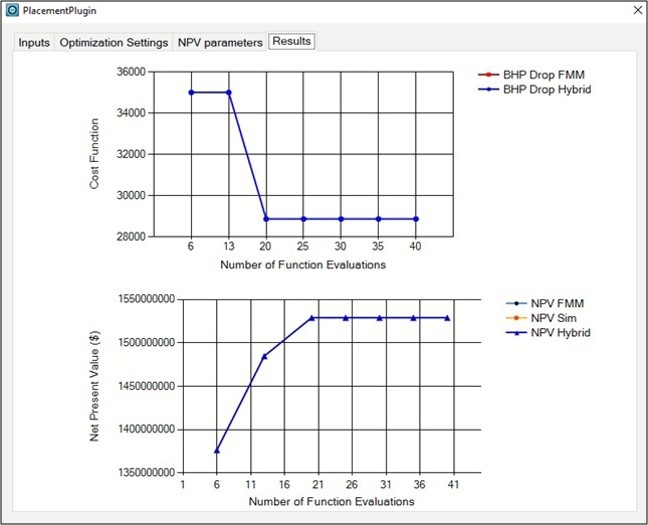
In the fourth window, you can see the optimization results depending on the type of optimization.